Alba
A small cat on my Mac and phone that reads across all my calendars, inboxes and meeting notes, tells me what matters today and drafts the next step. Built in a week, used every day since.
Used daily, private
Personal assistant
Since November 2026
Mac and iPhone
The story
Where it started
Five calendars, and nobody watching all of them.
My week runs across a client, my consultancy, a community I founded, teaching and a family. Each lives in its own system: Outlook, two Gmail accounts, Slack, the school app. Things didn't slip because I didn't care. They slipped because no tool saw all of it at once.
What it became
A chief of staff, drawn as a cat.
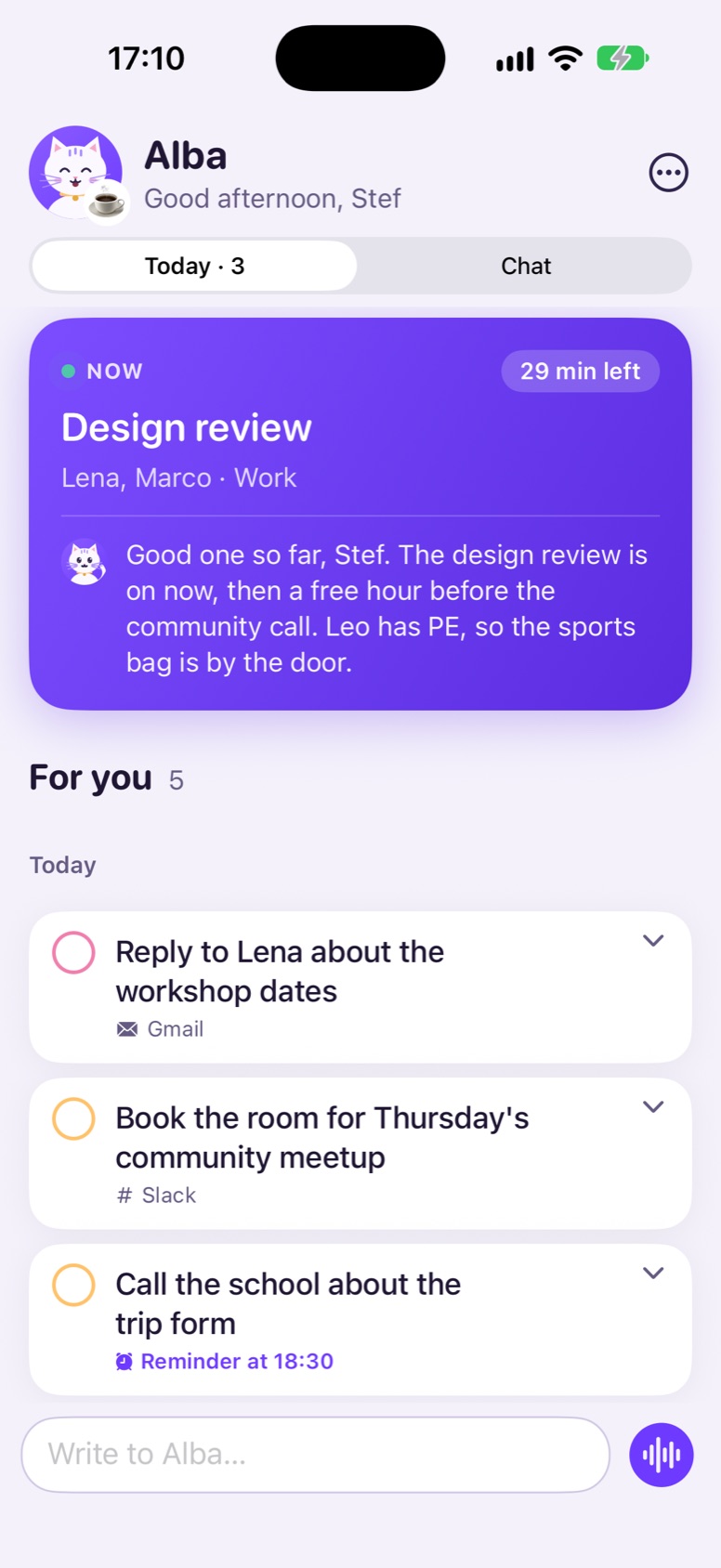
Alba looks through everything a few times a day and keeps a short list: a reply I owe, a meeting that moved, what to pack for tomorrow. Every item has one button that does the first piece of work, whether that's the draft reply, the prep for an interview or the follow-up after a meeting.
“Tomorrow starts with the 9:00 demo, and the posters still need a slot. You're free around 14:30.”
The kind of note she leaves at the top of the day The decision that mattered
She drafts. I send.
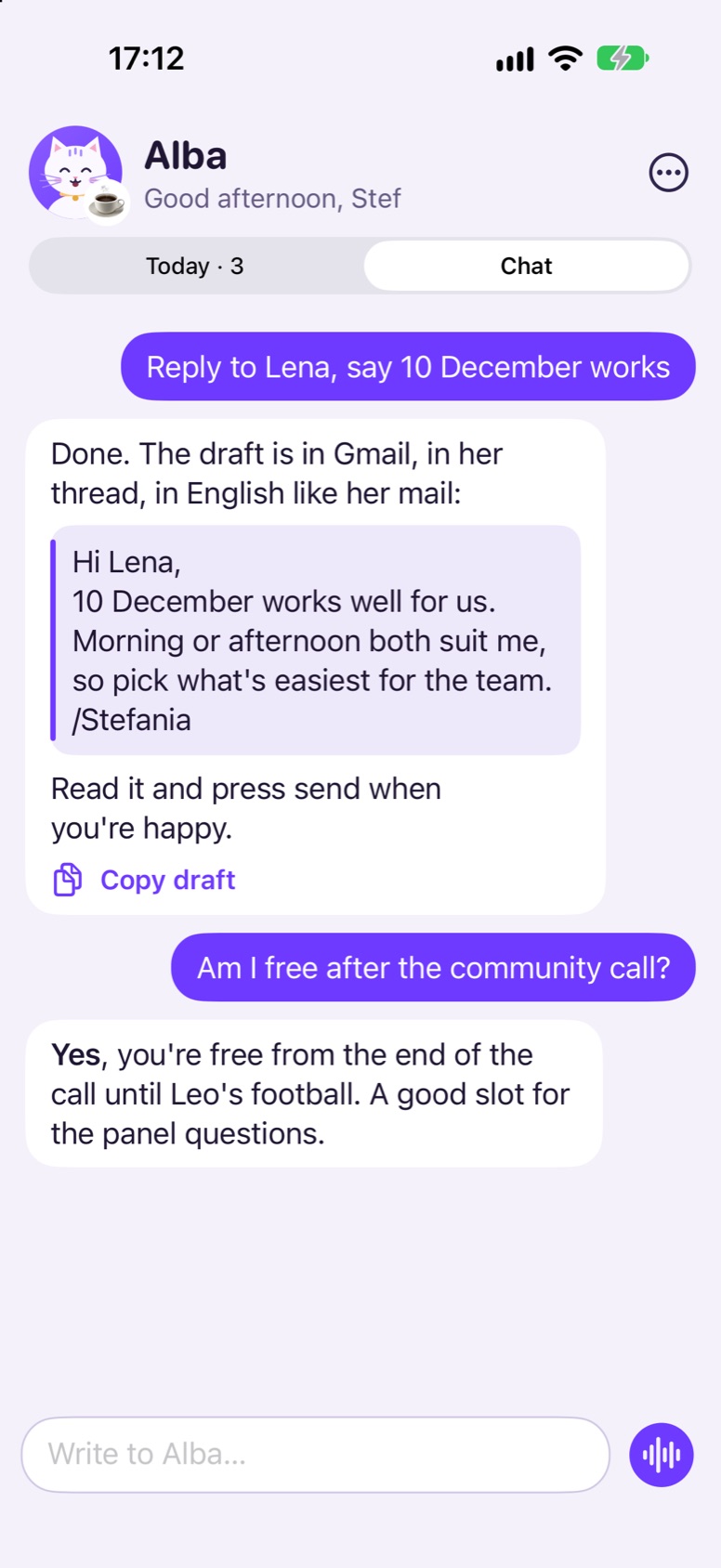
The most important decision was what Alba may never do: send, book, delete or pay. Everything she writes lands as a draft. The rest was trust in small things: a note written last night must not say "tomorrow" about today, an item I tick off must disappear from her summary, and the number on the Today tab must mean today.
What I learned
Being proactive is mostly about timing.
Knowing things is the easy part. Saying the right thing at the right moment is the product: the morning brief has to survive a laptop that fell asleep, the evening look-ahead has to catch what isn't in any calendar, and after midnight she closes her eyes and stops asking for attention.
What it does
- Every calendar and inbox
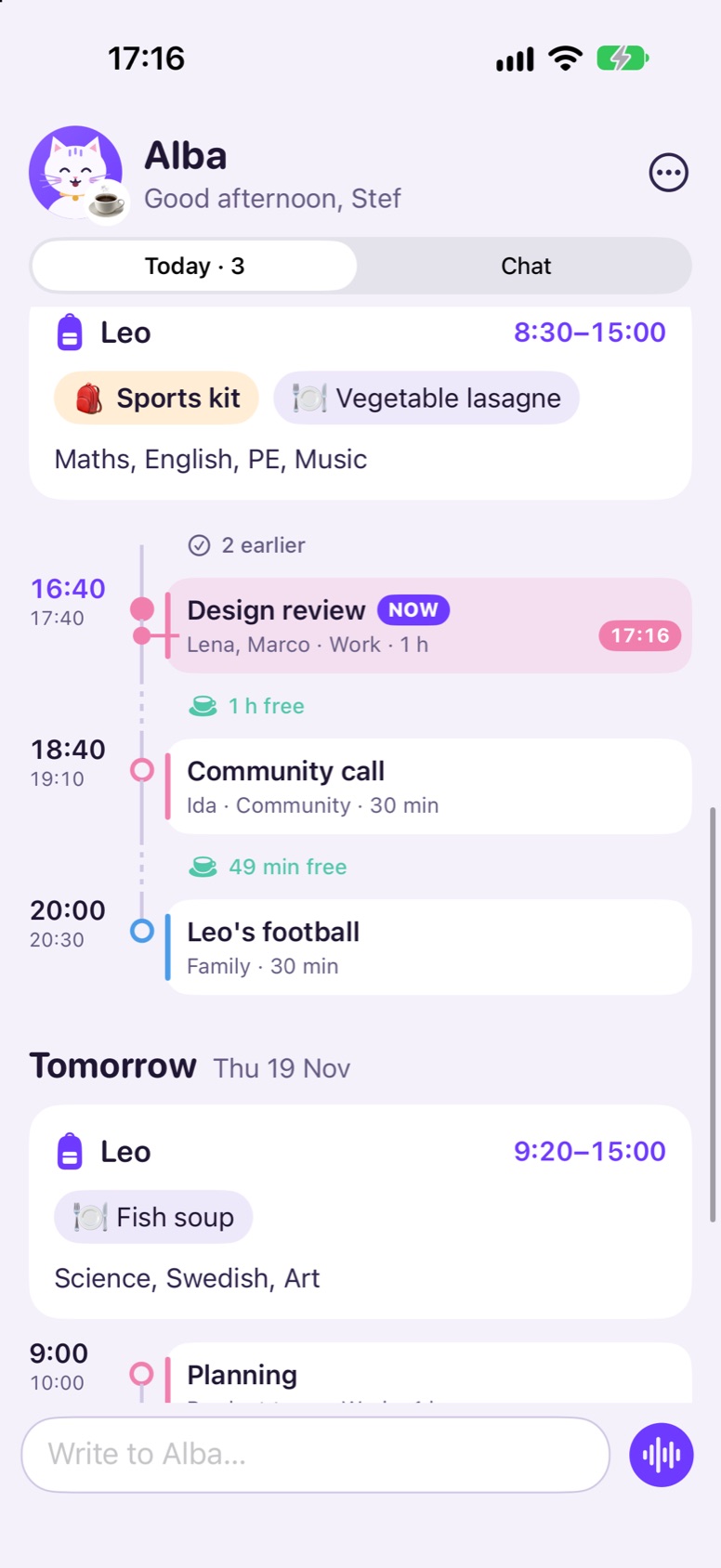
- Work and private calendars, two Gmail accounts, Slack, meeting notes and the school app, in one view.
- The day at a glance
- What's on now, what's next and a short note, then a timeline with the free time marked.
- One tap to get going
- Each item opens with the first piece of work done: a draft, prep points or a plan.
- Replies without copy and paste
- Ask her to reply to someone and she finds the thread and drafts the answer in its language.
- After every meeting
- What matters for me from the notes, and the follow-up email ready as a draft.
- Reminders, and a mood
- A nudge at the time I asked, and a cat who's bright in the morning and asleep after midnight.
Built with
Swift, SwiftUI, Claude, Claude Code, CloudKit, Push notifications, Python