I built the dinner planner I couldn't find.
No existing tool understood my family. So I built one that does.
Personal project, Stockholm, one weekend
The itch
Every meal planning app felt built for someone else.
Two kids, busy Stockholm evenings, specific dietary needs nobody's willing to compromise on. And I don't eat chicken. Every app I tried gave me the same 20 meals on rotation, generic, completely indifferent to my family's actual life.
Before
Built for everyone. Useful to no one.
Taco Tuesday again. No memory of last week. No awareness of time constraints. Suggestions for ingredients I'd never buy.
After
Built for us. Used every week.
Knows which evenings are busy. Starts from the dinners we already love. Finds a real recipe for each one, sorts the shopping list by aisle and cooks alongside you, step by step.
What it does
Built around real constraints, not imaginary users.
Middag asks what other apps don't: how busy is each evening, and who is cooking? Busy nights get something quick or last night's leftovers. Saturday gets something worth the effort. The week starts from the dinners the family already loves, with one or two new ideas.
Each dinner comes with a well-rated recipe from a trusted site, and the shopping list is built from that recipe's own ingredients, scaled to the family. The whole family shares one account, so every phone sees the same week and the same list, ticks included.
Rate any meal and the app learns. Within a few weeks, dishes the kids ignored quietly disappear from future suggestions. Save the ones that land, and they become the backbone of your rotation.
A product tour
Four screens that tell the full story. The real thing is further down.
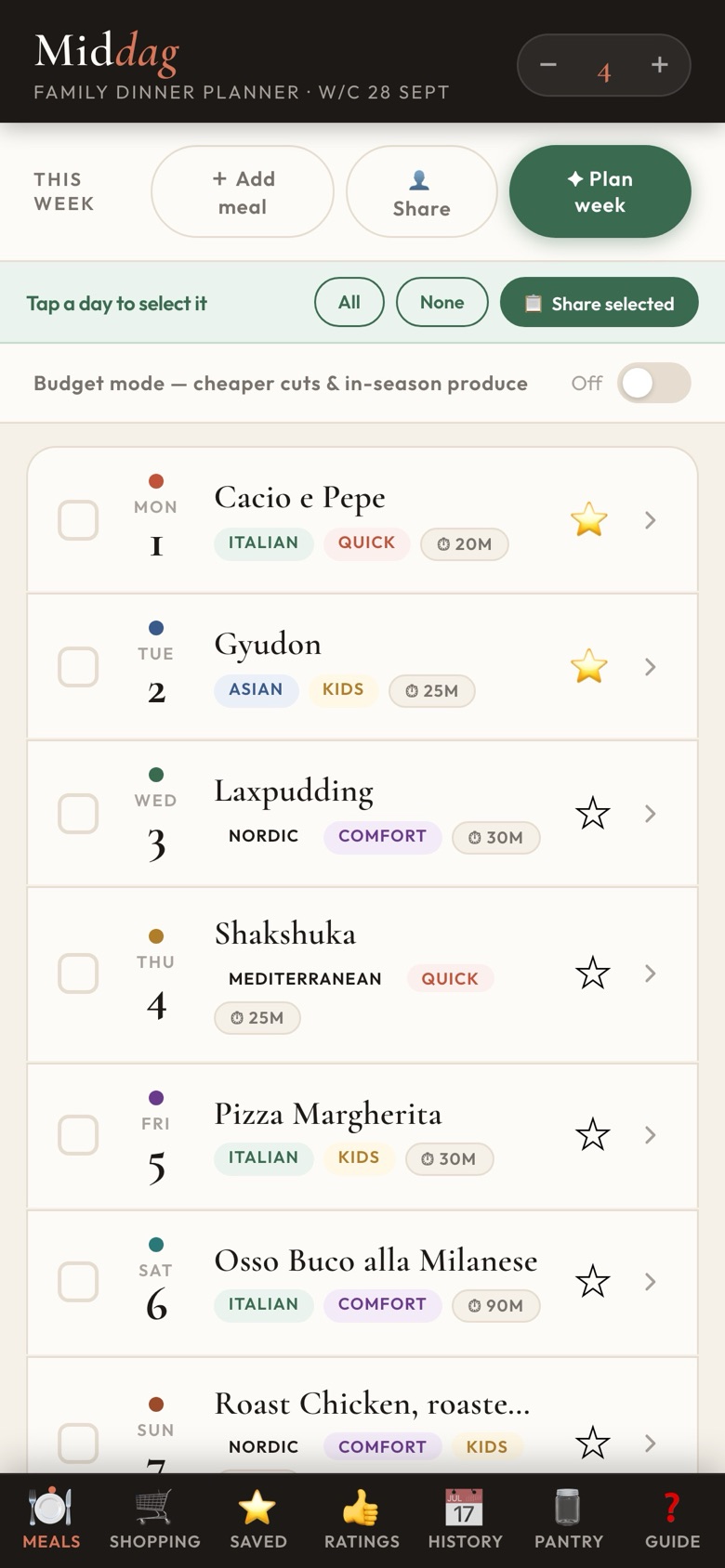
A week planned around your evenings
Busy, Normal or Time to cook. Something quick when the evening is full, something worth the effort when it isn't.
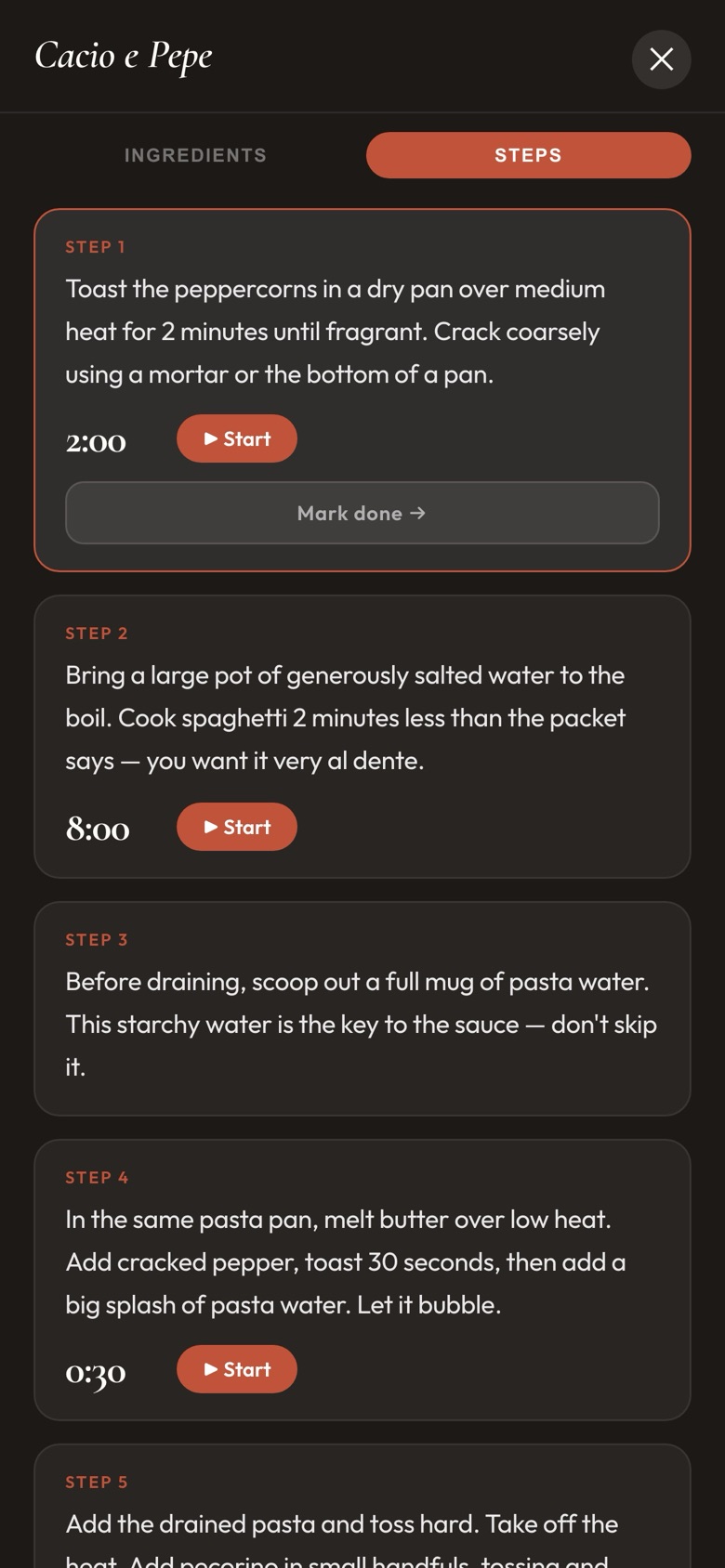
Cook mode with live timers
Ingredients first, then one step at a time with timers built in. The screen stays on.
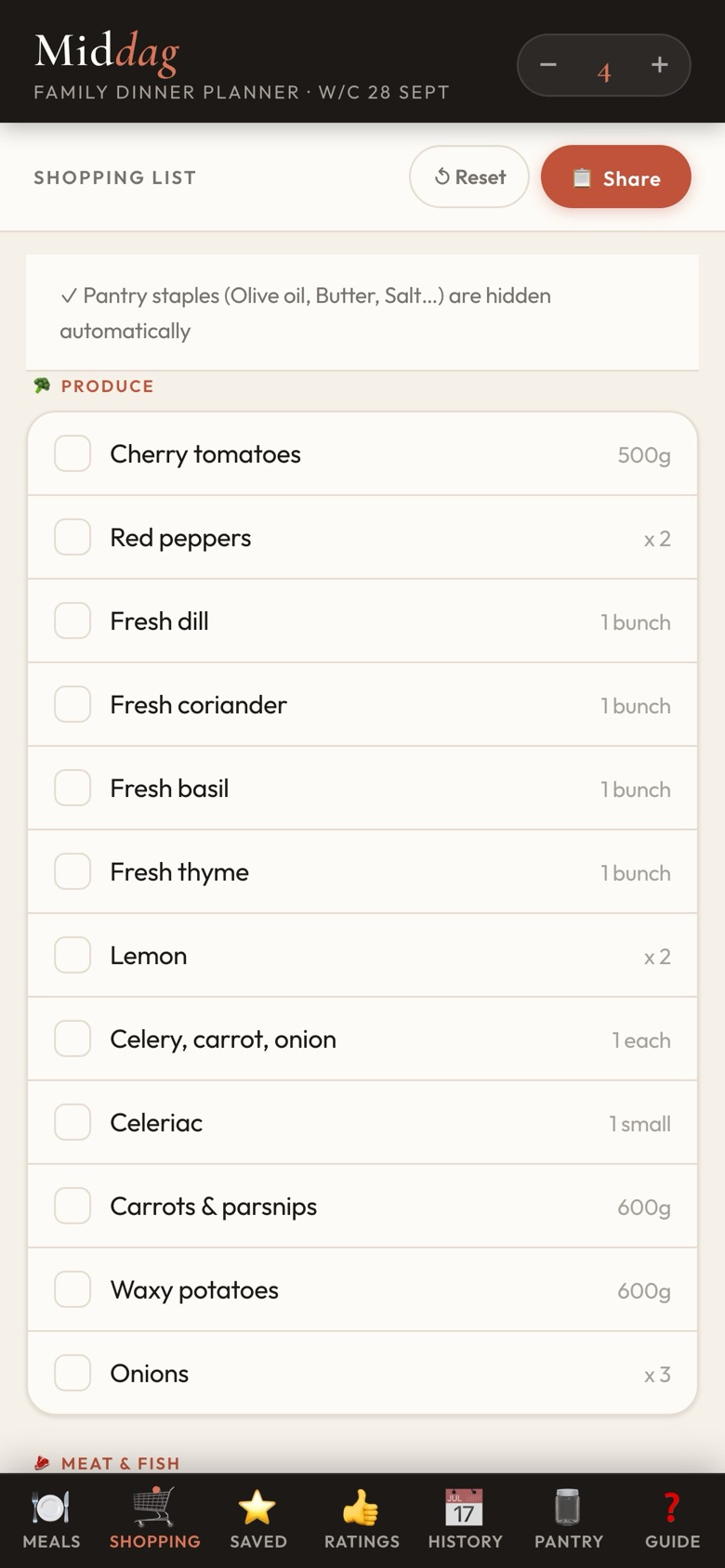
Sorted by aisle, not recipe
One list for the whole family, ticks synced between phones. Pantry staples stay off it.
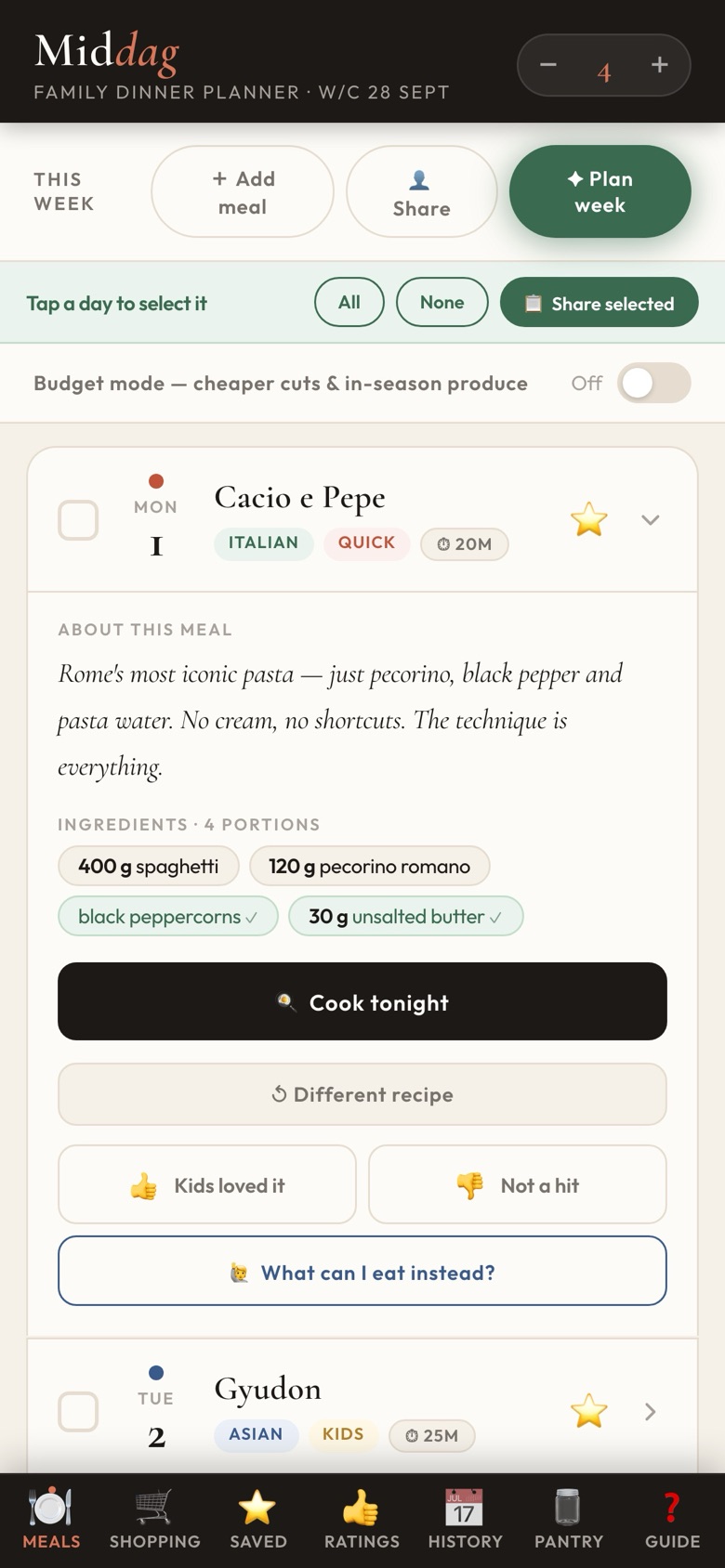
Portions scale everything
Set the portions once and every quantity follows, lunch boxes included.
The decisions that mattered
Where the AI helps, and where it stops.
- Plan around the evening, not the recipe.
- Each evening is Busy, Normal or Time to cook. Busy nights get something quick or reheated, and one dinner is cooked double so a later evening is just warming it up. What shapes the week is how full it is, not what's in the fridge.
- Real recipes, not generated ones.
- A recipe the AI writes itself sounds right and often isn't. So Middag searches trusted recipe sites, picks a well-rated one with at most ten ingredients, and says why it chose it. The shopping list comes from that recipe's own ingredients.
- It fills the basket. It never pays.
- The shop helper adds the whole list to the ICA, Coop or Willys basket with the shop's own buttons, then stops. Checkout stays with a person, and Middag never sees the shop login.
- Read the calendar, not the diary.
- Connect the family calendar and Middag marks the busy evenings itself. It reads only the times, never what the events are.
Design thinking
The detail nobody asked for is the detail that matters most.
Most products are designed to be functional. A few are designed to feel good. Almost none are designed to know you, to anticipate what you'd notice if something wasn't there, and make sure it is. That third layer is where Middag lives. Not because I designed for it. Because I was the user, and I couldn't design around it.
Layer 1
Functional delight
It works, reliably. The plan generates. The shopping list appears. The timers run. Most products live here and call it done.
Layer 2
Emotional delight
It feels considered. The palette, the typography and the micro-interactions make the mundane task of dinner planning feel like it was made for someone who cares.
Layer 3
Deep delight
It anticipates you. It knows what you'd notice if it wasn't there.
Middag lives here
“When my family has chicken, Middag offers me something else. Without making it a whole thing.”
Stack in a weekend
Built in a weekend, then grown with the family.
Since then: a shared family account, real recipes and a basket that fills itself. The point isn't the stack. Building it changed how I make product decisions.
Built with
Plain JavaScript PWA (no framework, installs on the phone), Claude API (planning and recipe search), Supabase (one shared family account), Netlify Functions (locked to family members).
Try it
The actual app. Tap around.
This is the real app, not a prototype, running on sample data. The AI's answers are canned, so nothing you do here leaves the page. Open cook mode, explore the shopping list, plan a new week.
- 1
Start with tonight
Tonight's dinner sits at the top. Tap Start cooking for the ingredients, then the steps with timers.
- 2
Open a dinner
Tap any day under The week for the ingredients, the kids' version and the recipe it found.
- 3
Check the shopping list
Tap Shopping. One list sorted by aisle, each item tagged with the day it's for.
- 4
Plan a new week
Open the ··· menu next to This week. In the demo the AI's answers are canned, so every plan looks the same.
What building for yourself teaches you
When you're the user, you can't talk yourself out of the rough edges.Every shortcut you take, you feel at 6pm on a Tuesday.
Building Middag made me a sharper PM, not because of the stack, but because I had nowhere to hide. Good products have a rhythm to them. Intentional, not frantic. That's only visible when you're the one living inside them.
Stefania Tardito, Product Rhythm, Stockholm
Back to work